
Your whole year, in the order it happens
One place for the whole stretch, in the order it actually happens. No jumping between a listing site, a spreadsheet, a payments app and a folder of PDFs.
List the vacancy
Each rental gets a page you can share, with photos, rent, availability and pet policy. Applicants apply right from it.
Review applications
Every application lands in one list on your dashboard, so you compare people side by side instead of digging through email.
Sign the lease
Start from a lease template, send it out, and the tenant signs from their phone. The signed copy is filed with the tenant.
Collect rent
Tenants pay online, or you record a check or cash yourself. Receipts go out by email and late fees are tracked for you.
Run the place
Maintenance requests arrive triaged by urgency. At tax time, your reports and a Schedule E export are already there.
- Payments by StripeOnline rent runs through Stripe, a payments company built for exactly this.
- Two-step sign-inTurn on two-factor login for your account, and sign out of every device at once from Settings.
- Sensitive keys encryptedTwo-factor secrets and connected-storage sign-ins are encrypted at rest. API keys are stored only as a one-way hash.
- Your data stays yoursExport it any time from Settings. No call, no waiting.
Pay by the door
One simple price. Every feature is on for everyone, your first 2 doors are free, and the bill grows only as your portfolio does.
First 2 doors free. Then $1.50 a door a month.
No minimum, no cap. Every feature is included, for every account. A door is one unit on a property you are managing.
10 doors past the free 2, at $1.50 each.
Start freeAlways included
- Every feature. Rent collection, listings, leases, maintenance, reports, the resident portal, invoicing, budgets, alerts and API access.
- 2 logins. Each extra login is $5 a month.
- 30 days with every door open. Add as many doors as you like, no subscription needed, then subscribe when you want to keep more than 2.
- Yearly saves 20%. Or pay monthly and change or cancel any time.
- Archive a unit, stop paying for it. Archived or sold units stop counting right away, and your history stays.
Online rent runs through Stripe: cards cost Stripe’s standard 2.9% + 30¢, bank transfers cost far less, and we add a flat $1.00 per payment. Checks, cash and Zelle you record yourself cost nothing.
See a worked example
What a $1,500 rent payment costs
| Paid by | Stripe processing | Our flat fee | Total |
|---|---|---|---|
| Bank transfer | $5.00 | $1.00 | $6.00 |
| Card | $43.80 | $1.00 | $44.80 |
Totals are estimates built from Stripe’s published rates, which can change. The fee is taken from the payment before it reaches your bank account. You can carry the cost yourself or set a convenience fee so tenants cover it. Tenant screening is paid by the applicant, not by you.
Built for the way you run your rentals
Start where you are today. Adding doors as you grow keeps your data exactly where it is.
Not just apartments. Storefronts and offices too.
Dr. Landlord handles commercial properties on every account, at the same price per door. If you own a strip center, an office suite or a mixed-use building, it fits.
See it in action
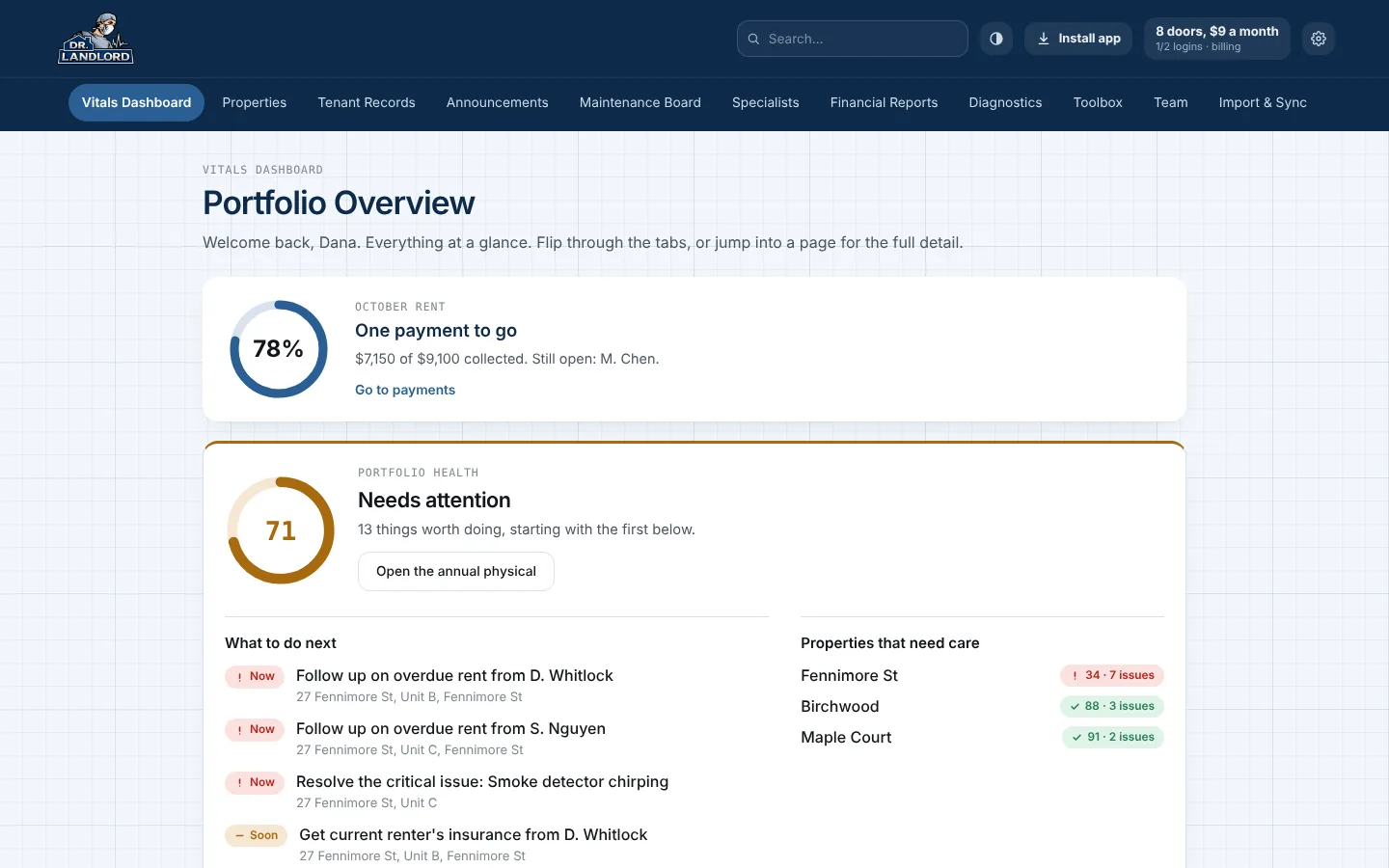
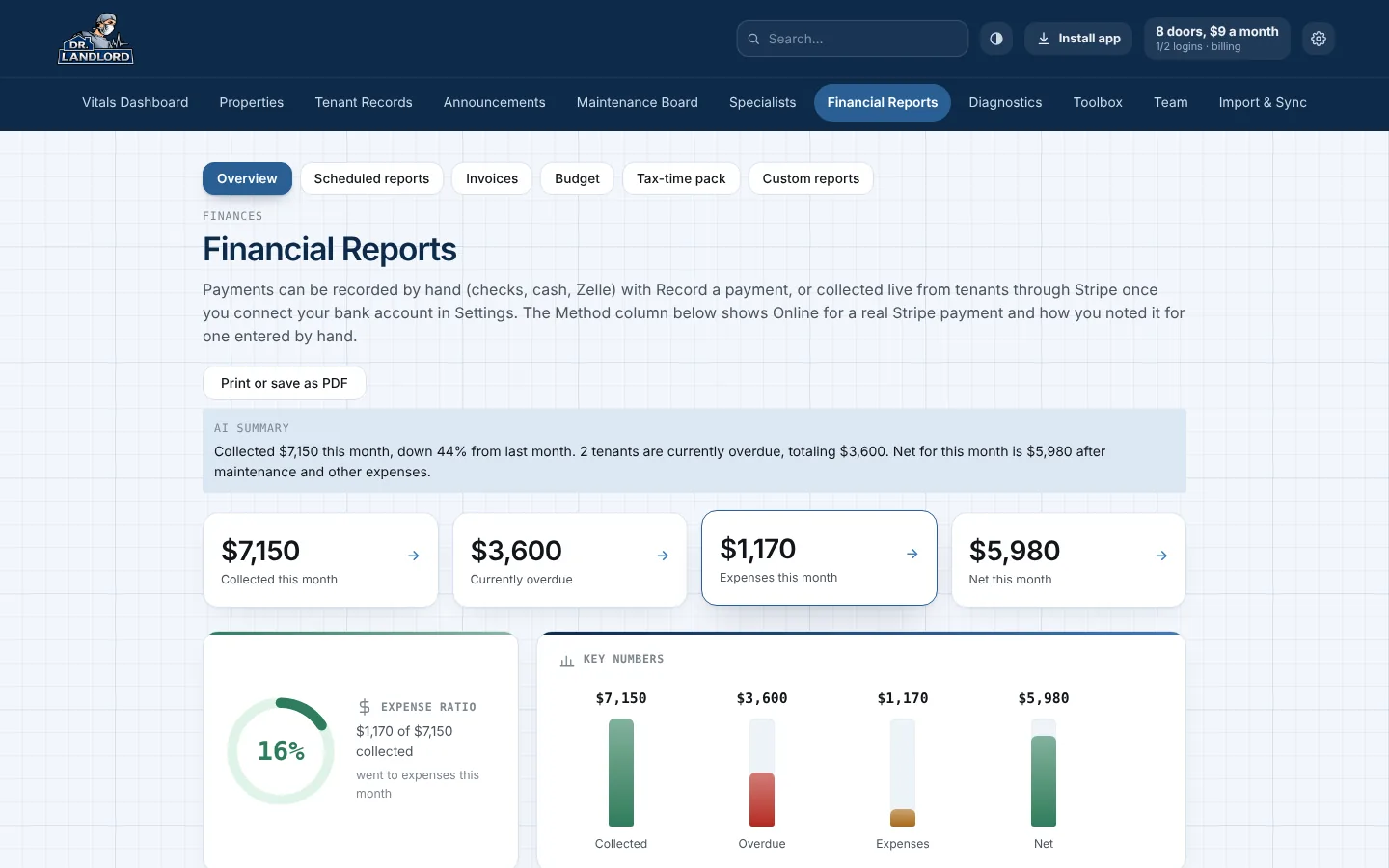
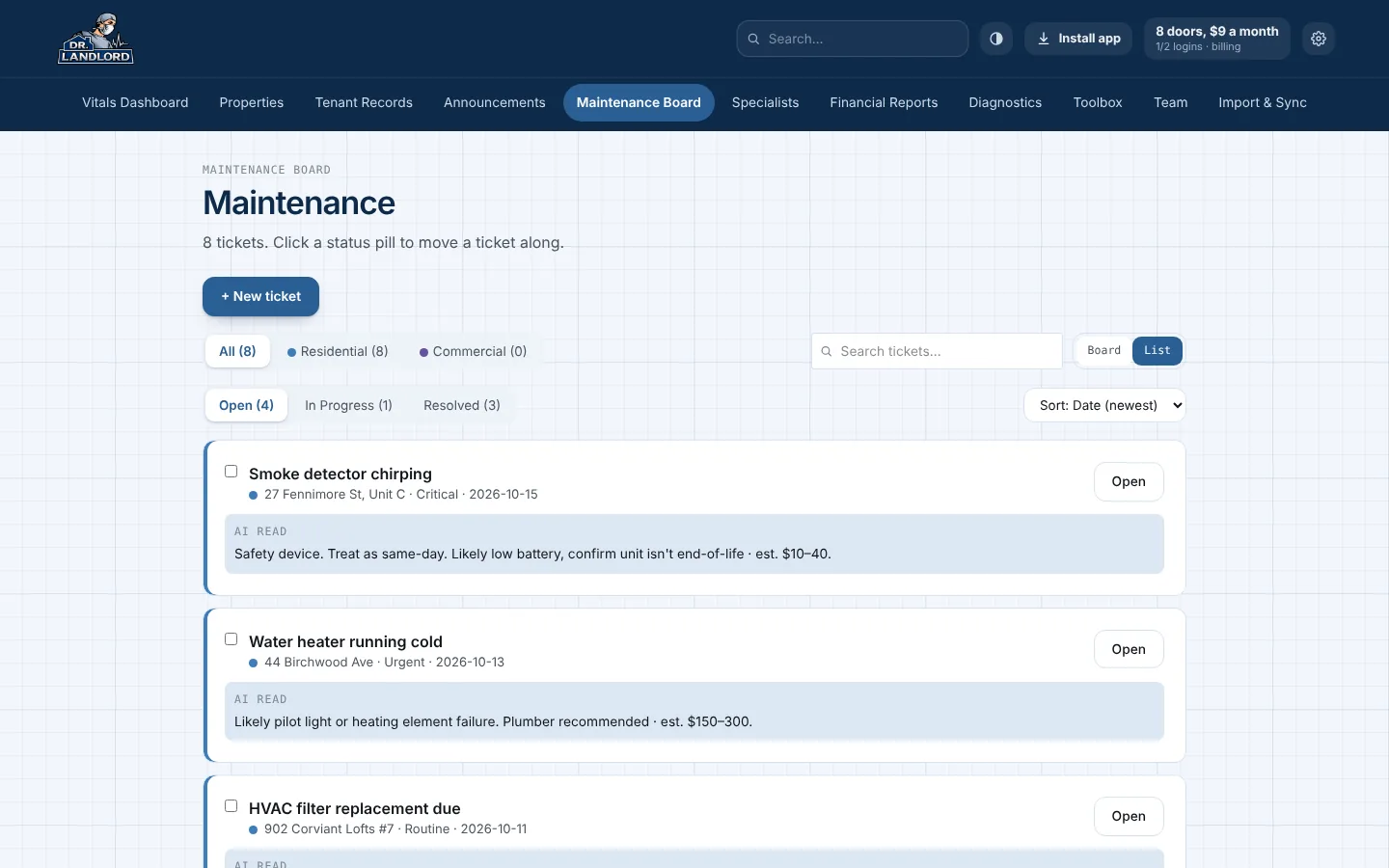
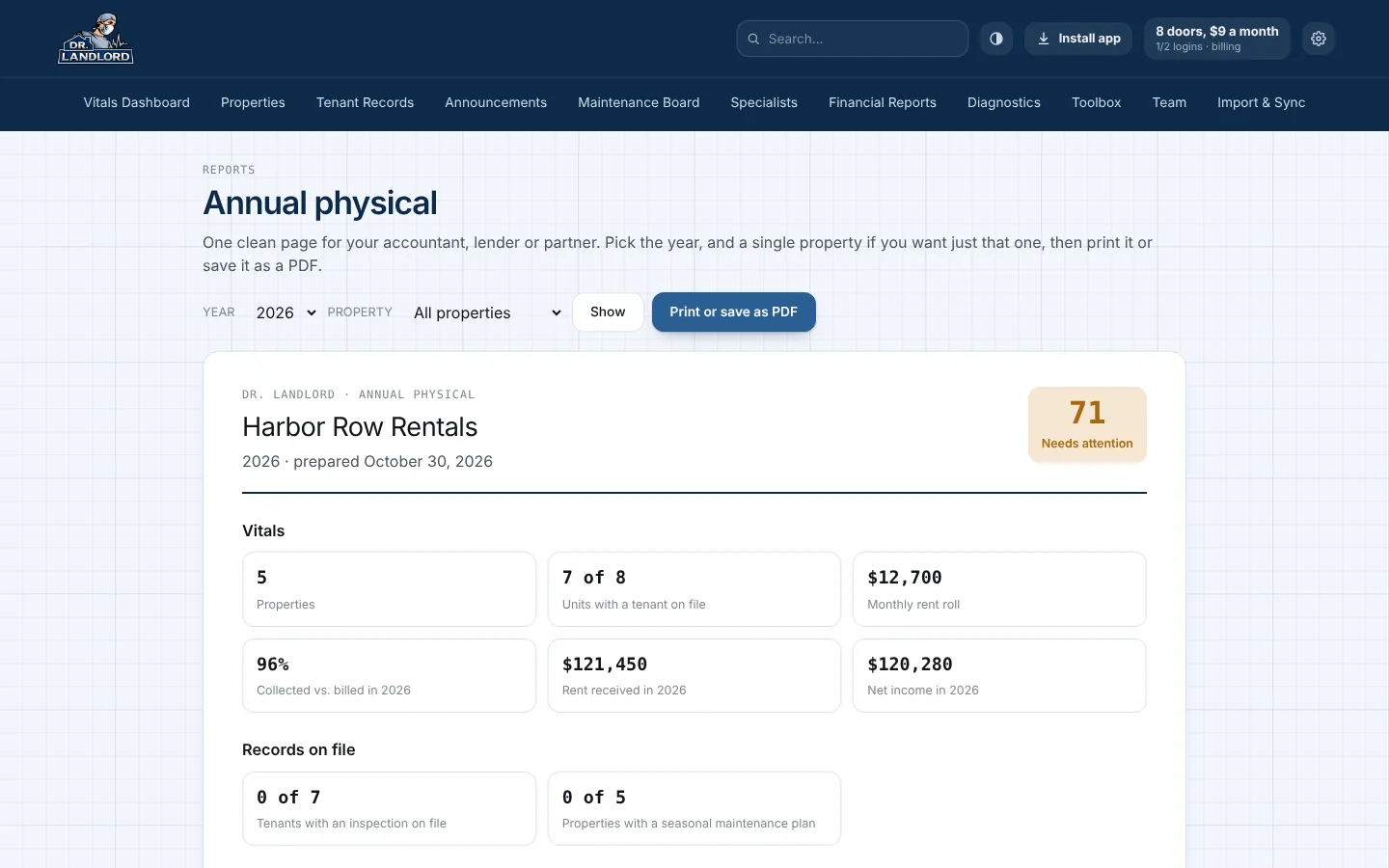
Real screens from the app. The names, addresses and numbers are sample data.
Retire the juggling act
Most small landlords run on a pile of tools that never talk to each other. Dr. Landlord keeps the whole practice on one chart.
- Spreadsheets
- Group texts
- Shoebox of receipts
- Paper leases
- Sticky notes
- Calendar reminders
- Email threads
- Payment-app screenshots
Eight places to look, and none of them agree.
- Rent
- Record payments, send receipts, and let tenants pay online.
- People
- Tenants, leases and renewals, with e-signing included.
- Repairs
- Requests arrive triaged by urgency and go to the right specialist.
- Paperwork
- Insurance, deposits and documents filed under each tenant.
- Tax time
- A Schedule E worksheet and an annual physical, ready for your accountant.
One place to look. Vitals in order.
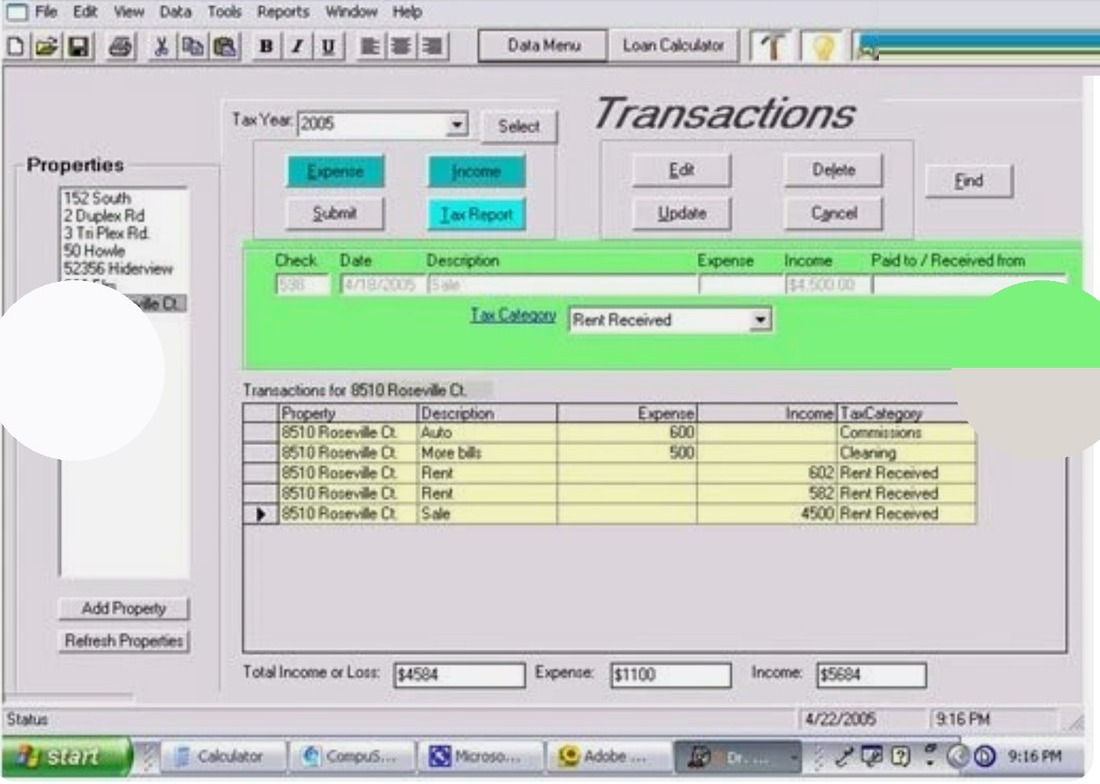
Then & now
Same idea (a landlord’s whole practice on one screen), twenty years and a full rebuild apart.
A CD in a jewel case
Installed from a disc, ran on Windows, and was a genuine success for its time. Real software, built for a real practice, just boxed the way software shipped back then.
A real web app, built for daily use
The same practice (properties, tenants, rent, maintenance), now a full web application you run your business from, with an installable desktop app for the office.
Fair by design
A few choices we made on purpose, so the price on the page is the price you pay.
Dr. Landlord Diagnostics
No chatbot bolted on for the demo, no assistant you have to prompt. These do real work in the background, and every one of them is included for every account.
Try it before you sign up
Free landlord tools that work right here, with no account and no card. Run the numbers on a rental, check how your records hold up, or set a late fee you can defend.
Questions landlords ask first
How much does it cost?
Every feature is on for everyone, and you pay by the door. Your first 2 doors are free, with no card needed. After that it is $1.50 a month for each additional door, with no minimum and no cap. Paying yearly takes 20% off. Two logins are included and each extra login is $5 a month. See the price above.
What counts as a door?
A door is one rentable unit on a property you are managing. A single-family house is one door, a fourplex is four. Archive a property or a unit and it stops counting right away, so your bill follows what you manage today. Your history stays.
What happens after the first 30 days?
Every new account has all of its doors open for 30 days, with no card and nothing charged. After that your first 2 doors stay free. To keep more than 2 doors you start a subscription, billed by the number of doors. Nothing is ever deleted when the 30 days end; the account just cannot add more doors until you subscribe.
Are there fees on rent payments?
Online rent payments carry the card or bank processing cost plus a flat $1.00 platform fee per payment, the same for everyone. You can carry that cost yourself or set a convenience fee so the tenant covers it. Checks, cash and Zelle you record yourself cost nothing.
Do my tenants have to use it?
No. You can record a check or cash payment yourself and the tenant never needs to sign in. If you invite them, they get a portal to pay rent and send maintenance requests.
Can I bring in what I already have?
Yes. Import tenants and properties from a spreadsheet, or snap a photo of a paper rent roll. If you would rather not do it yourself, send us a setup request from the Import page and we will help.
How are rent payments handled?
Online payments are processed by Stripe. You can also turn on autopay for tenants, and record checks, cash and money orders by hand so every payment lives in one ledger.
Can I advertise a vacancy and take applications?
Yes, on every account, including one that only has its 2 free doors. Each vacant rental gets its own shareable page with photos and details, and applicants apply from it. Applications show up in your dashboard.
What if I want to cancel?
Yes. You can cancel yourself, any time, from Settings. Our refund policy spells out the details, and you can export your data before you go.
Is my information safe?
Rent payments run through Stripe, so card and bank details go to Stripe and not through our own pages. You can turn on two-step sign-in, sign out of every device at once from Settings, and export your data any time. Two-factor secrets, connected-storage sign-ins and API keys are stored protected, not as plain text.
Does it work for commercial properties?
Yes. You can add residential and commercial properties side by side. Residential leans on units and rent per unit, and commercial on square footage and tenant charges.
What does the eviction tracker do?
It walks you through the steps and timelines of an eviction in 11 states, so you can see where you are and what comes next. It is a guide, not legal advice, and it never files anything for you. It is included for every account.
Does it work on my phone?
Yes. It works in any browser, and you can install it like an app from Settings so it opens from your home screen.
Ready to see your portfolio’s vitals?
Set up your account in a couple of minutes. Your first 2 doors are free, and no card is needed to begin.
No card. Your first 2 doors are free for as long as you like, and every door is open for 30 days.